Home / Free tools / Add a watermark to your photos, free
Add a watermark to your photos, free
Your name or your logo on every photo of a listing, in one go. Free, no account, no watermark of ours, and nothing is uploaded: it all happens in your browser.
Next step: stage the room
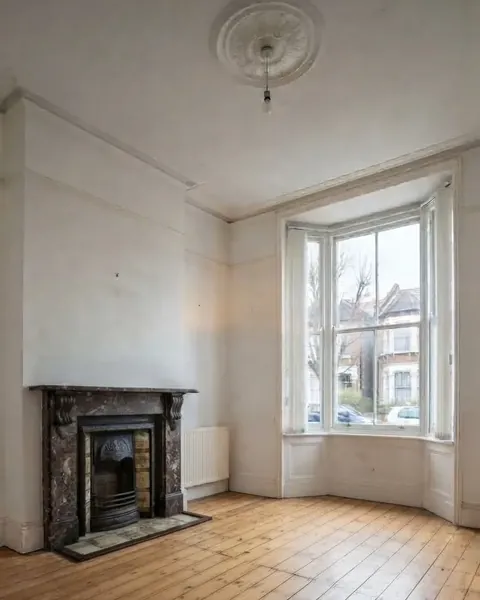
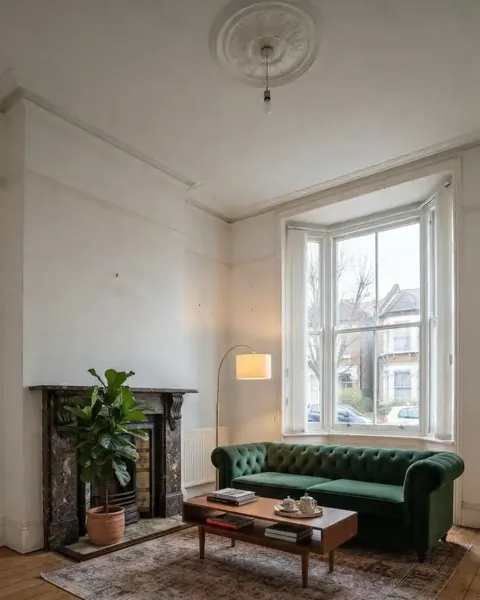
Photos ready? If a room is empty, Roomstill furnishes it without moving a wall, window or door, and gives you the pair a portal asks for: the room as it is, and the staged render.
Stage an empty room One watermarked render a day is free, no account and no card.
How to add a watermark to a batch of photos
- Type your text, or add your logo. A transparent PNG gives the cleanest result.
- Choose where it sits, how large and how opaque. The preview shows the first photo, full width.
- Drop the photos, up to 40. Each is marked at full resolution and listed as it is done.
- Download them one by one, or all together as a ZIP.
Change a setting after dropping the photos and the whole batch is redone. The size is a share of each photo’s width, so a batch mixing phone and camera photos comes out consistent.
The Rightmove rule on watermarks
Section 29 of Rightmove’s Agent and Developer Technical Guidelines (January 2026) allows a watermark only if it is white and translucent, no larger than a quarter of the image, at 30% opacity or lower, and used “only for the purpose of preventing image copyright” with “no further messaging”. The Rightmove-safe setting, on by default, enforces the first three: white only, opacity capped at 30%, and the watermark shrunk if it would cover more than a quarter of the photo. The fourth is yours to keep: a name or a ©, not a phone number or a slogan.
Full detail in our guide to Rightmove photo requirements.
Watermark, or AI disclosure?
They answer different questions. A watermark says whose photo it is. An AI disclosure says the photo has been enhanced or virtually staged, which Rightmove, California’s AB 723 and the EU AI Act all require in some form. Tick “AI disclosure band” to add a pre-set label in six languages at the bottom of each photo; the ZIP then holds the original next to each labelled photo, the pair Rightmove asks for. On Rightmove itself, where text in images counts as misuse, put that label in the caption instead.
Questions people ask
How do I add a watermark to a photo for free?
Type your text or add your logo above, drop your photos, and download them. There is no account, no limit, and no watermark of ours on the result.
Can I watermark many photos at once?
Yes, up to 40 per batch, which covers a full listing. They download as a single ZIP.
Are my photos uploaded?
No. The watermark is drawn in your browser, on your device. Nothing is sent to a server.
Can I use my logo as a watermark?
Yes. A transparent PNG works best. With the Rightmove-safe setting on, the logo is turned white, as Rightmove requires; switch it off to keep its colours.
Are watermarks allowed on Rightmove photos?
Yes, within limits. Section 29 of Rightmove’s Technical Guidelines allows a white, translucent watermark covering no more than a quarter of the image, at 30% opacity or lower, used only to protect copyright with no further messaging.
Does it work with iPhone HEIC photos?
Yes. HEIC photos are decoded in your browser and come out as watermarked JPEGs.