Home / Free tools / HEIC to JPG converter
HEIC to JPG converter
Turn iPhone photos into JPGs, a whole folder at a time. Free, no account, no watermark, and nothing is uploaded: the conversion runs in your browser.
Next step: stage the room
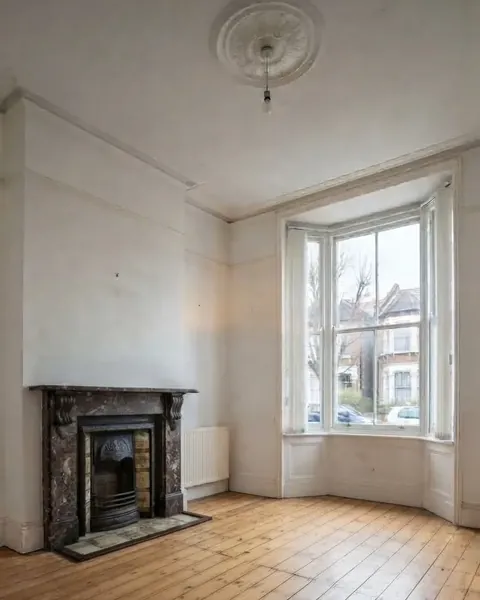
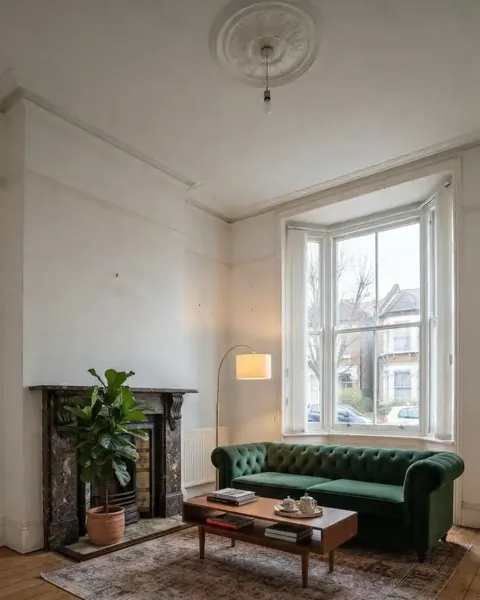
Photos ready? If a room is empty, Roomstill furnishes it without moving a wall, window or door, and gives you the pair a portal asks for: the room as it is, and the staged render.
Stage an empty room One watermarked render a day is free, no account and no card.
Why your photos are HEIC
iPhones save photos as HEIC by default: smaller files than JPEG at a similar quality. Plenty of websites, property portals and office software still expect JPEG. Rightmove’s FAQ for overseas advertisers, for one, asks for “.jpeg” files.
To make your iPhone shoot JPEG from now on: Settings, Camera, Formats, Most Compatible. For the photos you already have, drop them above.
What happens to your photos
The HEIC file is decoded by libheif, running in a background worker inside your browser tab, then written as a JPG at full resolution. Nothing is sent to a server: close the tab and nothing remains anywhere.
Two side effects worth knowing. The rotation is applied, so portrait shots come out upright. And the photo’s metadata, including the GPS position where it was taken, is not copied into the JPG. For a photo of someone’s home, that is usually what you want.
The whole folder, in one ZIP
Select every photo of a shoot at once, up to 60. Each one appears in the list as it is converted, with its size and weight, and the batch downloads as a single ZIP. JPEG, PNG and WebP files dropped in the same batch come out as JPG too.
Questions people ask
Is this HEIC to JPG converter really free?
Yes. No account, no watermark, no limit on the number of batches. It costs us nothing to run because the conversion happens on your device, which is why it can stay free.
Are my photos uploaded anywhere?
No. The photos are read and converted inside your browser and never leave your device. You can check it in your browser’s network panel: no photo is sent while converting.
How many HEIC files can I convert at once?
Up to 60 per batch. They download together as a ZIP, or one by one from the list.
Does converting HEIC to JPG lose quality?
The photo keeps its full resolution. At the default quality of 92%, differences are hard to see at normal viewing size; the JPG is usually larger than the HEIC. Choose 80% for lighter files.
How do I stop my iPhone saving photos as HEIC?
Open Settings, then Camera, then Formats, and choose Most Compatible. New photos will be saved as JPEG.
Does it work on Windows, Android and Mac?
Yes, in any recent browser: Chrome, Edge, Firefox or Safari. Safari reads HEIC on its own; the other browsers load a decoder the first time you drop a HEIC file.